Overview
Enabling the Client list option in an Inland Revenue tax agent integration helps keep your TaxLab client list aligned with your Inland Revenue client list by automatically creating new entities in TaxLab on an overnight schedule. This reduces manual setup and ensures consistency between the systems.
When enabled, the service checks your Inland Revenue client list for entities not already in TaxLab and imports the following details to create each entity:
- IRD number
- Name
- Entity type
- Balance date
- Extension of time status
- GST filing frequency
To enable this option, an Administrator or the user who set up the Inland Revenue integration must activate the setting in TaxLab.
Enable client list linking
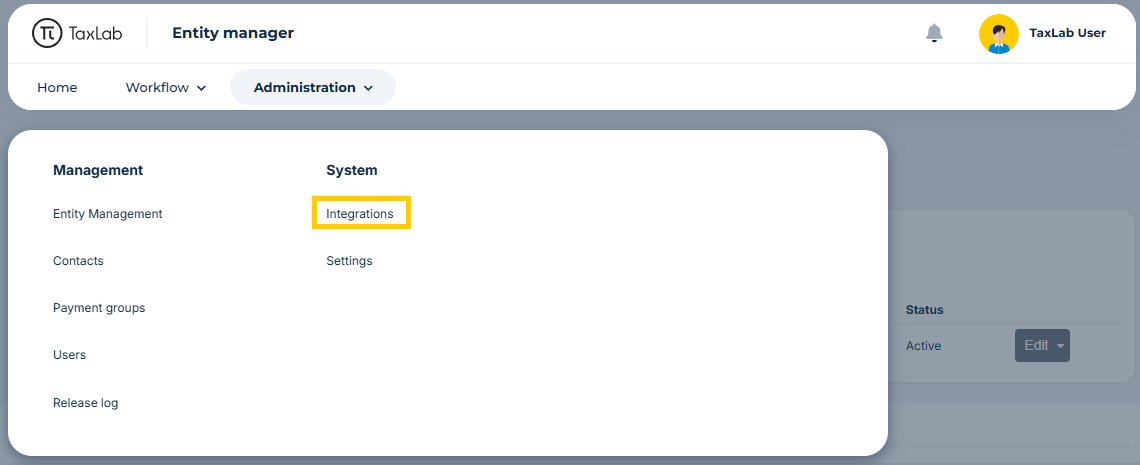
- From your TaxLab home screen, in the navigation bar > Select Administration > Under System, select Integrations.
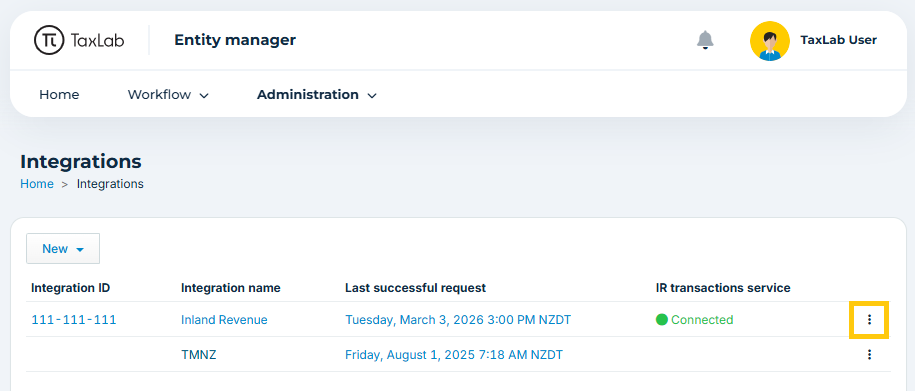
- Select the more options menu to the right of the Inland Revenue integration.
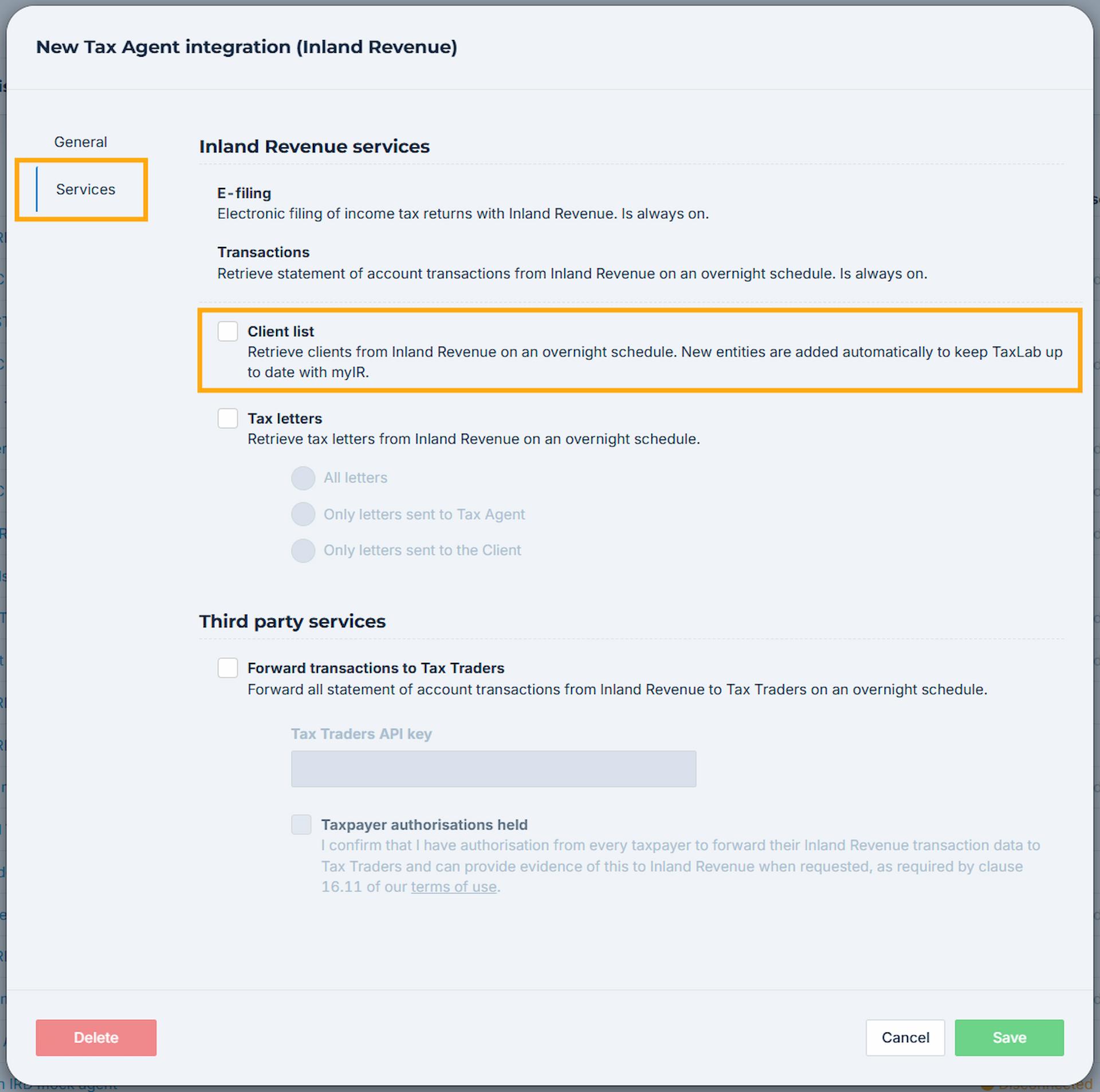
- In the popup > Select Services.
- Select the check box next to Client list.
- Select Save.
Troubleshooting
I don't have the option to enable client list
Please check the following:
- Only Inland Revenue tax agent integrations are able to import clients to TaxLab.
- Only Administrator users, or the user who set up the integration, are able to enable this service.
My client hasn't imported overnight
Please check the following:
- This service is only able to import clients where the tax agency has access to the client's income tax account. Navigate to the tax agent client list in myIR and check to ensure the it is linked to the client's income tax account.
- Does the IRD number already exist in your TaxLab workspace, including archived entities? You can use the entity search bar on your TaxLab home page to check this.
Related articles
Set up an Inland Revenue integration
Was this article helpful?
That’s Great!
Thank you for your feedback
Sorry! We couldn't be helpful
Thank you for your feedback
Feedback sent
We appreciate your effort and will try to fix the article