Overview
The Student Loan Repayment workpaper calculates end-of-year repayment obligations for New Zealand-based student loan borrowers. It will automatically populate with data from other workpapers in the entity, and additional adjustments can be entered on-screen.
The workpaper will calculate any balance payable and this will populate in the Tax Position and terminal tax payment task.
Enable the student loan workpaper
- From the navigation bar select Workpapers > Student Loan Repayment.
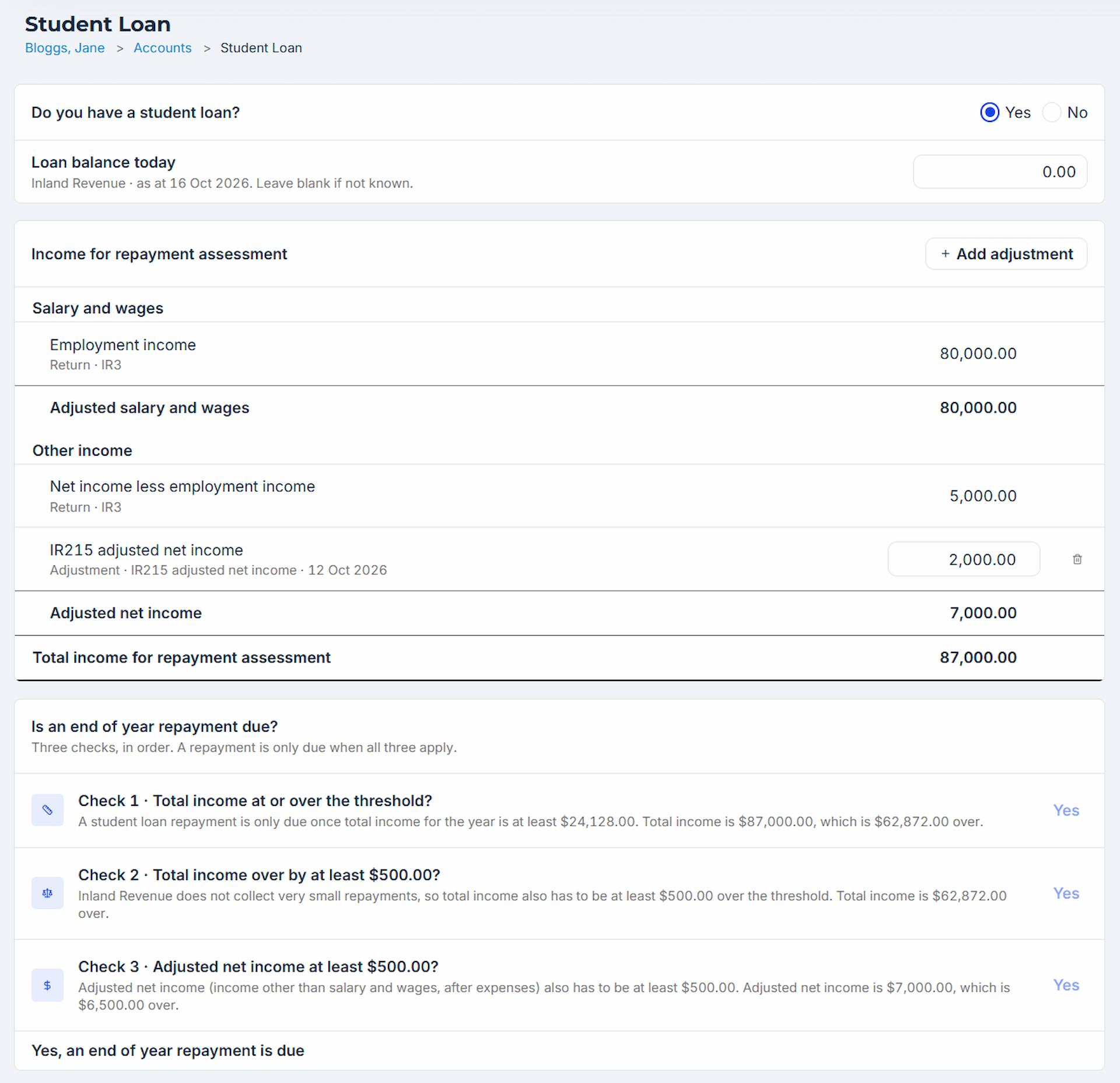
- In the ‘Do you have a student loan?’ field, select Yes if the individual is a New Zealand-based borrower with an active student loan balance. By default, this field is set to No.
- If known, enter the current balance of the student loan.
Salary and wages and Other income sections will automatically populate from workpapers entered in the entity.
The system will go through the following checks in order to determine if there is an end of year repayment obligation. A repayment will only be due if all three checks apply:
- Total income is at or over the student threshold.
- Total income is over the threshold by at least $500.00.
- Adjusted net income is at least $500.00.
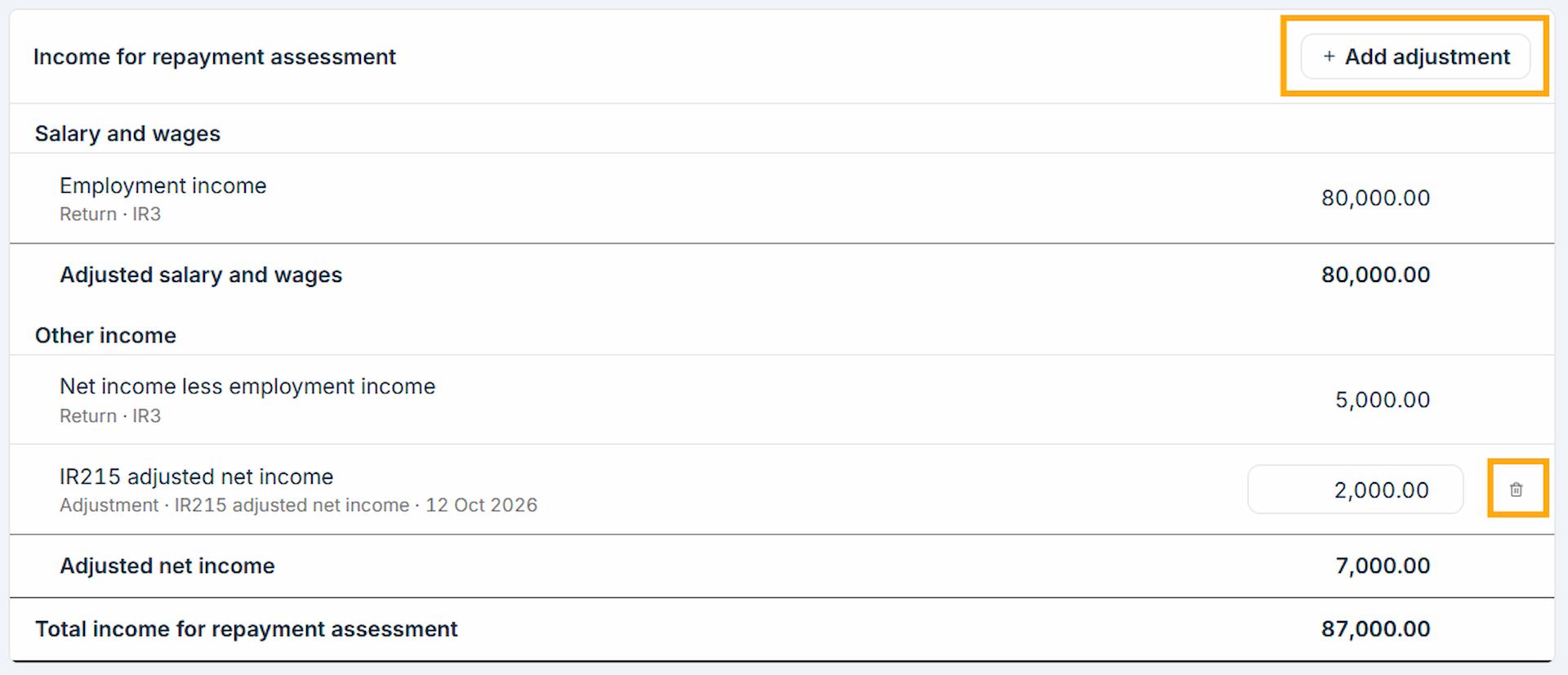
Add adjustments
If any adjustments to the Salary and wages or Other income are required for student loan purposes these can be entered directly into the workpaper.
- Select Add adjustment to enter adjustments for the following items:
- Casual agricultural work or election day income.
- Adjustment to salary and wages.
- IR215 adjustment net income.
- Losses not included in IR215.
- Adjustment to other income.
- Enter the applicable amount.
To remove an adjustment, select the Delete icon next to the adjustment line.
Review end of year repayment
In the End of year student loan repayment section you can enter any Interim or voluntary repayments made during the year. Do not include student loan repayments deducted through PAYE.
If the end of year student loan repayment exceeds the balance of the loan it will automatically adjust to the amount that will clear the loan.
Any balance payable will populate in the Tax Position and terminal tax payment task.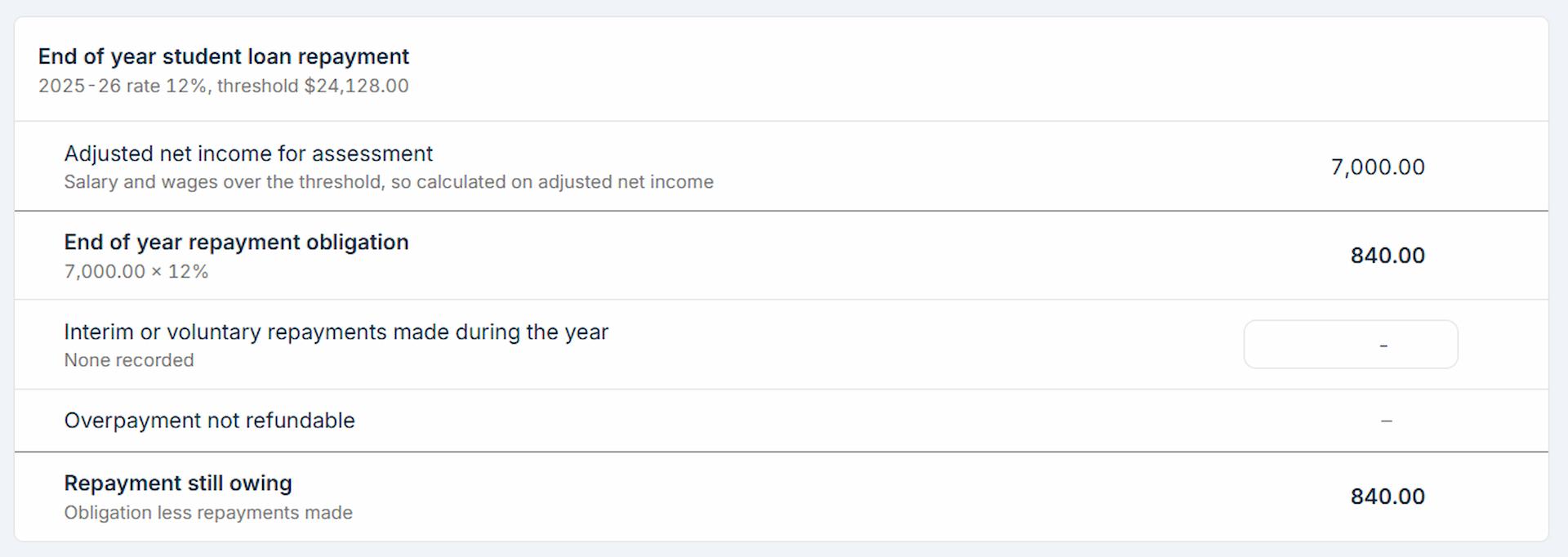
Troubleshooting
Issue: The student loan balance is less than the calculated amount due
The workpaper calculates a repayment obligation based on salary and wages, other income and adjustments entered on the Student loan workpaper. The amount due that is calculated may exceed the actual remaining balance on the loan.
- Under ‘Do you have a student loan?’, enter the loan balance today.
- If the balance of the loan is less than the Repayment still owing, the End of year student loan repayment will update to the amount that will clear the loan.
Was this article helpful?
That’s Great!
Thank you for your feedback
Sorry! We couldn't be helpful
Thank you for your feedback
Feedback sent
We appreciate your effort and will try to fix the article